App vs app
TravelSpend vs WanderSpend: Free vs Premium Compared
TravelSpend vs WanderSpend compared for free vs Premium features, trip budgets, shared costs, currencies, offline use, exports and pricing in 2026.
Keep comparing
Narrow down the choice
These comparisons are the best match for the decision you are making now.
TravelSpend and WanderSpend can both appear in similar searches because both help travelers keep trip costs under control.
But they are not trying to solve the same problem in exactly the same way.
TravelSpend is a focused and established travel expense app. It is designed for travelers who want to track spending, understand where their money goes, work with currencies, split costs and analyze their travel budget in detail.
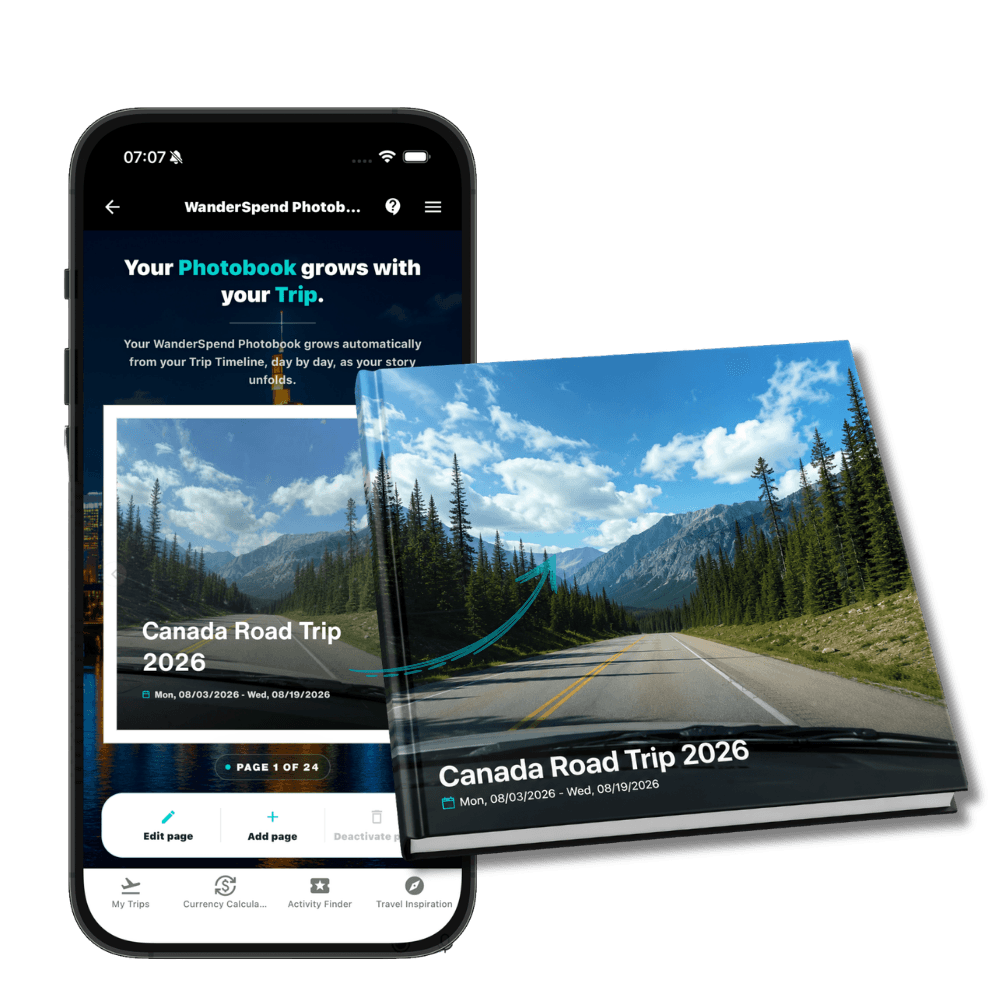
WanderSpend is broader. It includes travel budgets, expense tracking, cost splitting, exchange rates and a currency calculator, but budgeting is only one part of the app. WanderSpend is built as a private travel space where your costs live next to your Trip Map, places, timeline, documents, notes, photos and memories.
Quick verdict
Choose TravelSpend if
Your main goal is detailed travel expense tracking and you want a mature, focused budget app with strong cost analysis, exports and premium accounting-style features.
Choose WanderSpend if
You want travel budgeting inside a private trip space with Trip Map, places, timeline, documents, notes, shared costs, currency conversion and memories.
Quick comparison
| Criteria | TravelSpend | WanderSpendOur app |
|---|---|---|
| Primary use case | Focused travel expense tracking and budget analysis | Private trip space with budget, places, map, timeline, documents, notes and memories |
| Best for | Travelers who want detailed cost tracking, spending insights, exports and budget control | Travelers who want budgeting as part of a wider planning and memory workflow |
| Shared costs | Group expenses, balances and bill splitting; debt settlement is listed under Premium | Split shared costs equally or customize each person's share |
| Currency support | Offline expense entry with automatic foreign-currency conversion; own exchange rates are Premium | Foreign-currency conversion, exchange rates and built-in currency calculator |
| Maps and places | Attaching places and photos and mapping expenses are listed under Premium | Places, Trip Map and daily timeline cards are part of the trip experience |
| Documents and notes | Primarily focused on expenses and budget context | Documents, checklists, notes, timeline and memories live next to costs |
| Exports and analytics | CSV export, monthly and country statistics and advanced filtering are Premium | CSV cost overview, without an accounting-heavy analytics dashboard |
| Pricing | Free core app with optional Premium features | Free, no subscriptions; printed photobooks cost extra |
| Offline use | Add expenses offline | Loaded trip information stays available offline |
TravelSpend overview
TravelSpend is one of the better-known apps in the travel budget category. It focuses clearly on expense tracking for travelers: adding expenses on the go, working offline, converting foreign currencies, keeping an eye on your trip budget and visualizing spending data.
That makes TravelSpend especially attractive for travelers who care deeply about cost tracking. It is a natural fit for long trips, backpacking, round-the-world travel, couples traveling together and group trips where shared expenses matter.
TravelSpend also goes deeper into budget analysis than many simple travel apps. Its official materials highlight spending insights, export options, map-based expense context and features that help travelers understand where their money goes.
However, many of the more advanced workflow features sit behind TravelSpend Premium. According to TravelSpend's own help material, Premium unlocks features such as custom categories, attaching places and photos, seeing and settling debts, CSV export, adding incomes, setting your own exchange rates, unlimited active trips and monthly statistics.
That does not make TravelSpend a bad choice. It simply means that TravelSpend is a freemium, budget-focused app: the basic experience can be used for free, while more advanced analysis and power-user features are part of the paid Premium model.
Strengths
- + Established and focused travel expense app
- + Strong fit for travelers who care deeply about cost tracking and budget analysis
- + Works well for long trips, backpacking, couples and group travel
- + Offline expense entry and currency conversion are part of the core positioning
- + More accounting-style features such as exports, debts and monthly statistics are available through Premium
Limitations
- - Several important advanced features require Premium
- - More focused on expenses than on full trip memories or travel storytelling
- - Less suited if you want documents, notes, places, timeline and memories to be the central trip experience
WanderSpend overview
WanderSpend takes a different approach.
It does include travel budgeting, expense tracking, shared costs, categories, people, exchange rates and a currency calculator. But the budget is not isolated from the rest of your journey.
In WanderSpend, costs sit inside the full trip context:
- places and Trip Map
- daily Trip Timeline
- documents and travel files
- rich notes
- photos and memories
- shared travel costs
- currency conversion and exchange rates
- completed Trip Memories
That makes WanderSpend less like a pure expense tracker and more like a calm private travel space.
If your main question is “How much did this trip cost?”, WanderSpend can help. But if your question is “Where did we go, what happened, what did we keep, and what did it cost?”, WanderSpend fits even better.
Strengths
- + Budgets are connected to the full trip context
- + Places, Trip Map, timeline, documents and memories live in the same private space
- + Travel costs, shared expenses and currencies are still part of the core workflow
- + Free, no subscriptions, no ads and privacy-first positioning
- + Better fit if you want to plan and remember trips, not only analyze spending
Limitations
- - Younger than established travel budget apps such as TravelSpend
- - Not designed as an accounting-heavy finance dashboard
- - Not meant to be a public travel social network
Travel budget and expenses in one view

TravelSpend Free vs Premium vs WanderSpend
For travelers budgeting in AUD, GBP or CAD, the important question is not whether an app has a country-specific edition. It is whether home and destination currencies remain understandable in the same trip. WanderSpend includes these currencies in its selection and combines conversion, exchange rates and shared costs without a subscription. TravelSpend also supports foreign-currency expense entry; custom exchange rates are part of its Premium tier.
TravelSpend's free core covers the essential expense-first workflow: recording travel costs, working with foreign currencies, keeping an eye on the trip budget and adding expenses without an internet connection.
Premium adds much of the deeper finance workflow. TravelSpend's official help center lists custom categories, place and photo attachments, debt settlement, combined filters, CSV export, income entries, custom exchange rates, unlimited active trips, monthly statistics and country statistics among the paid features.
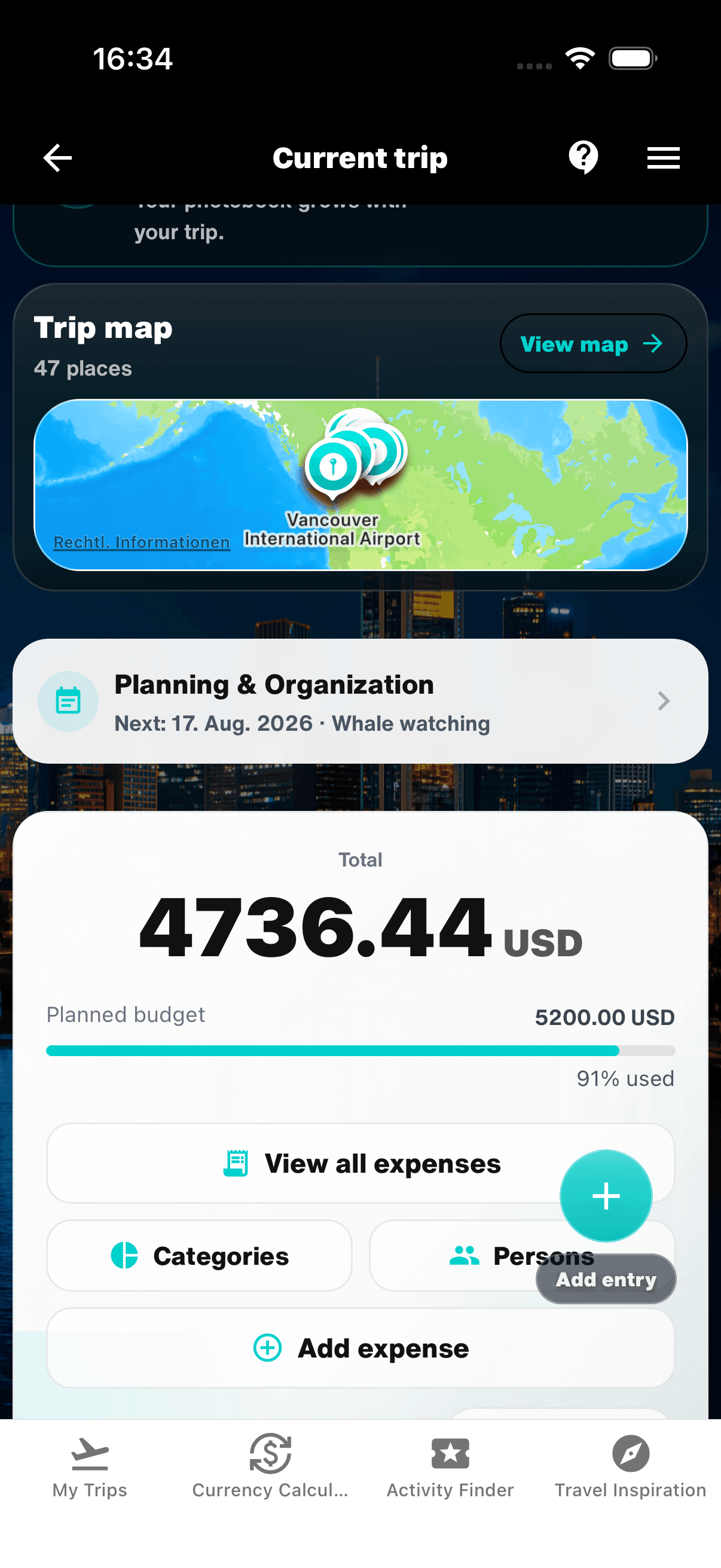
WanderSpend uses a different model. Its travel budget, shared costs, currency tools and CSV cost export are available without a subscription, alongside places, documents, timeline and memories. The trade-off is that WanderSpend is not intended to match TravelSpend's more accounting-oriented analysis and statistics.
Choose by the missing feature, not only by the price:
- TravelSpend Free for focused everyday expense entry
- TravelSpend Premium for deeper filters, statistics, exports and finance control
- WanderSpend for subscription-free budgeting inside a broader private trip space
Which app should you choose?
Choose TravelSpend if your main focus is detailed travel expense tracking.
It is the better fit if you want a mature, focused budget app with deeper spending analysis, exports, premium budget features and a workflow built mainly around expenses.
Choose WanderSpend if you want costs to be part of a broader travel experience.
It is the better fit if you want to plan your trip, add places to a map, follow your days in a timeline, keep documents and notes nearby, track your budget and turn the trip into memories afterward.
Use-case matrix
Detailed travel expense analysis
TravelSpend
Choose TravelSpend when categories, filters, statistics, exports and long-trip budget control are the main job.
Offline expense entry
Both
TravelSpend explicitly supports offline expense entry; WanderSpend keeps loaded trip data available offline and stores changes for later sync.
Group balances and debt settlement
TravelSpend
TravelSpend is more expense-first, although its official help center lists debt settlement as a Premium feature.
Budget plus documents and trip planning
WanderSpend
Choose WanderSpend when costs should sit next to places, timeline, documents, checklists and notes.
Private map and memories
WanderSpend
WanderSpend keeps a deliberate Trip Map and post-trip memories without turning the app into a public feed.
Pricing, offline use and data context
TravelSpend
TravelSpend offers a usable free core and a paid Premium layer. Its official Premium list includes custom categories, place and photo attachments, debt settlement, search and filters, CSV export, income entries, own exchange rates, unlimited active trips and monthly and country statistics.
You can add expenses offline, and foreign currencies are converted automatically. Trips can also sync across devices and be shared with other travelers. If sensitive financial context matters to you, review TravelSpend's current privacy policy and account requirements before deciding.
WanderSpend
WanderSpend is free without subscriptions, ads or third-party tracking. CSV cost export, shared-cost splitting and currency tools are included in the broader trip workflow.
Important trip information stays available after it has been loaded, and changes can be stored locally for later synchronization. Budget data sits next to the Trip Map, documents, notes and memories rather than in a separate finance-first workspace.
If you want more than a two-app decision, compare the best TravelSpend alternatives. For a broader shortlist, see the best travel budget apps.
Final verdict
TravelSpend is probably the stronger option for travelers who are fully focused on expense tracking and want a more established, accounting-oriented travel budget tool.
WanderSpend is the better fit for travelers who want budget tracking to live inside a private travel space — together with places, Trip Map, timeline, documents, notes, currencies and memories.
Neither approach is wrong. They simply serve different travel workflows.
If your trip is mainly about detailed cost analysis, start with TravelSpend.
If you want your budget to be one part of a calmer, more personal trip space, WanderSpend is worth trying first.
Related travel app comparisons
4 Best TravelSpend Alternatives for Travel Budgets in 2026
TravelSpend is strong for focused travel expense tracking. These alternatives fit better when you want budgets inside a private trip space, simple group splitting or a broader trip planner.
Best Travel Budget Apps 2026: 4 Free Expense Trackers
TravelSpend is strongest for focused expense tracking; WanderSpend for a free private trip budget; Lambus for planning; Splitwise for simple cost sharing.
Best Travel Apps 2026: 9 Picks for Planning, Tracking and Budget
Nine travel apps, nine distinct jobs: choose a core trip app first, then add only the navigation, booking or packing tools you actually need.
Wanderlog Cost 2026 vs WanderSpend: Free or Pro?
Wanderlog Free covers core itinerary planning; Pro adds offline access and advanced route tools. Compare both with WanderSpend's free private trip space.
Polarsteps vs WanderSpend: Tracking, Privacy and Battery
Polarsteps is a polished and established travel tracker built around routes and sharing, while WanderSpend focuses on private trip organization with budgets, maps, documents, notes and memories.
FAQ
Is WanderSpend only a budget app?+
No. WanderSpend includes travel budgets, shared costs and currency tools, but it is built as a private travel space with places, Trip Map, timeline, documents, notes and memories.
Which app is better for detailed travel expense tracking?+
TravelSpend is likely the stronger fit if your main priority is a focused, established travel expense app with more advanced cost analysis and premium budgeting features.
Which app is better if I want trip planning and memories too?+
WanderSpend is the better fit if you want travel costs to sit next to your places, map, timeline, documents, notes and memories in one private trip space.
Is TravelSpend free?+
TravelSpend can be used for free, while advanced features such as custom categories, place and photo attachments, debt settlement, CSV export, own exchange rates, unlimited active trips and monthly statistics are listed under Premium.
Do TravelSpend and WanderSpend work offline?+
TravelSpend officially supports adding expenses offline with automatic foreign-currency conversion. WanderSpend keeps important loaded trip information available offline and stores changes locally for later synchronization.
Sources and verification notes
Official WanderSpend product positioning and public app links.
Last checked: 2026-08-11
Official TravelSpend product positioning, expense tracking, offline use, currency conversion, insights, map and export information.
Last checked: 2026-08-11
Store listing used to verify app positioning, free use, Premium wording and in-app purchase information.
Last checked: 2026-08-11
TravelSpend Premium help article
Official help article used to verify Premium features such as custom categories, places and photos, debts, CSV export, own exchange rates, unlimited active trips and monthly statistics.
Last checked: 2026-08-11